

Welcome to ROC Inventory Check
This application allows McDonald's stores to submit their ROC (Receipt of Containers) numbers for inventory tracking. Each store can only submit once. ROC numbers are typically unique, but if the same ROC appears at multiple stores, you can add it with photo verification.
Before you begin, make sure you have:
- Your store's ROC numbers ready (1-4 digit numbers)
- Your MCD Staff ID for verification
Quick Navigation
Select Your Store
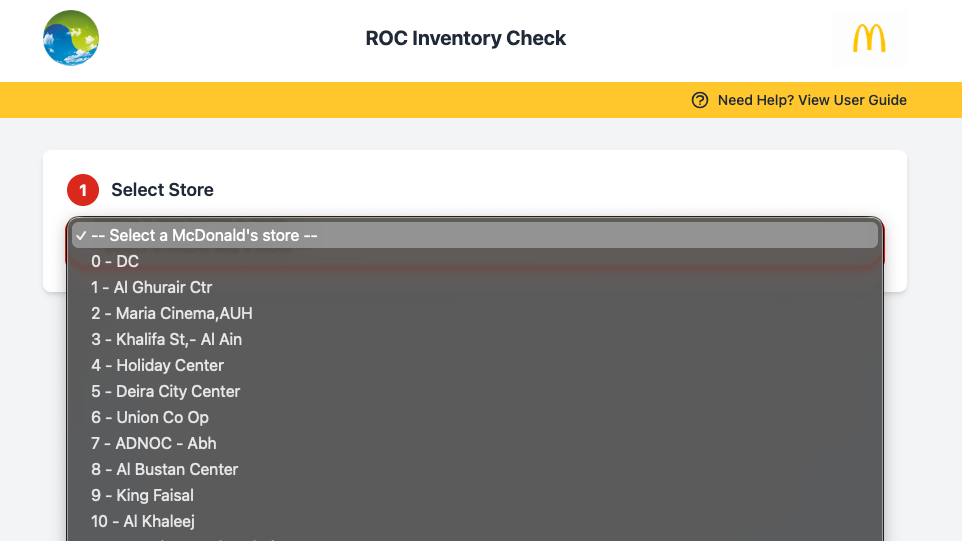
When you open the application, you'll see a dropdown menu with all McDonald's stores listed. Select your store from this list to begin.
Important:
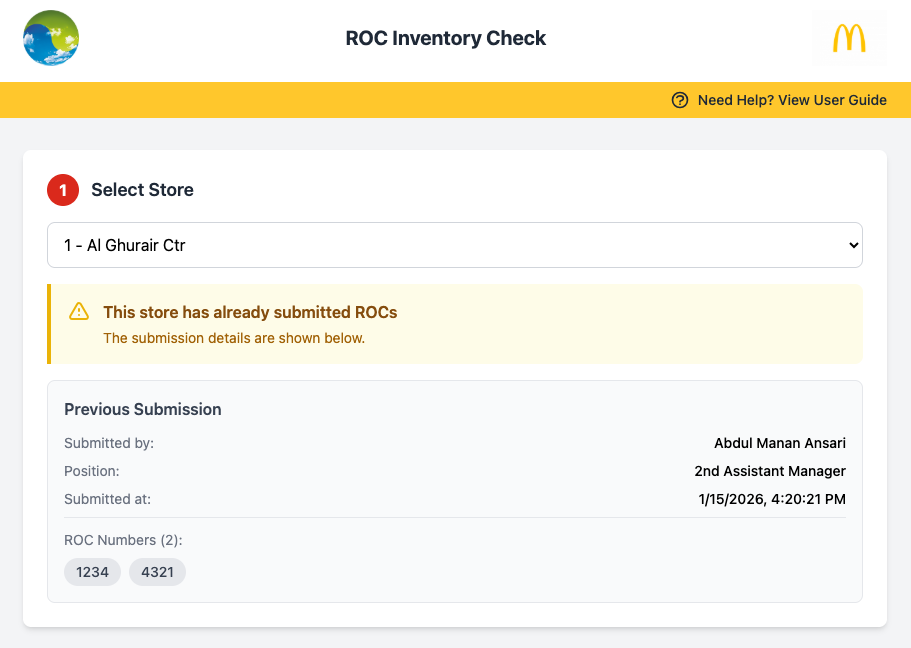
If your store has already submitted ROCs, you will see a warning message with the previous submission details. Each store can only submit once.
If store already submitted:
Add ROC Numbers
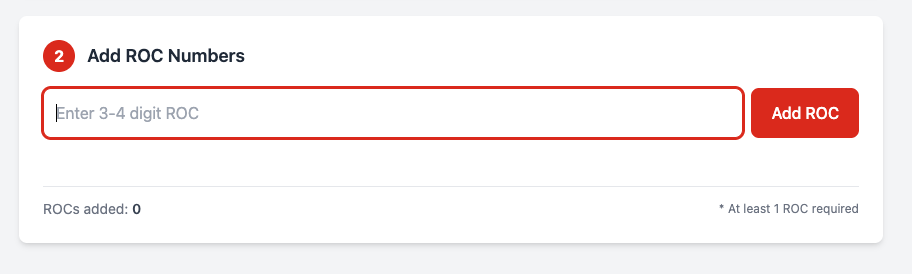
Enter your ROC numbers one at a time. Each ROC must be 1 to 4 digits. Leading zeros are automatically removed (e.g., "001" becomes "1").
Valid ROC Examples
1, 23, 456, 7890, 001 (saved as 1), 0123 (saved as 123)
Invalid ROC Examples
12345 (too long - max 4 digits), ABC (letters not allowed)
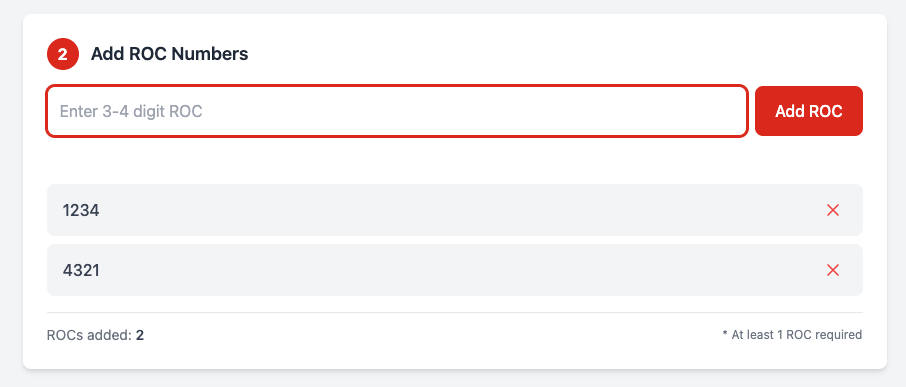
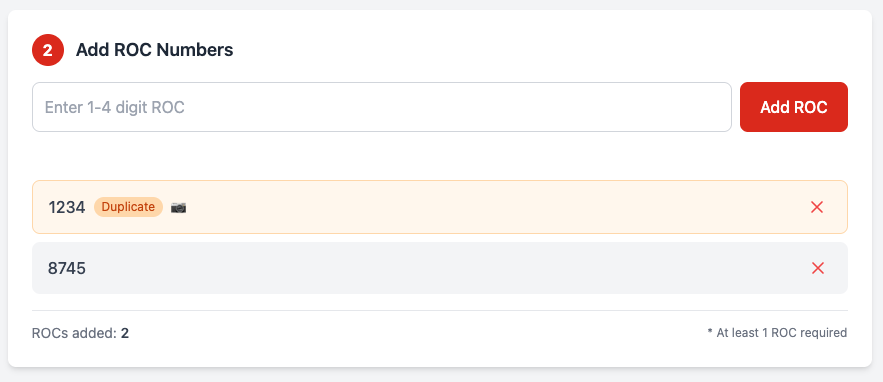
After adding ROCs, they will appear in a list. You can remove any ROC by clicking the X button next to it.
Duplicate ROC Detected:
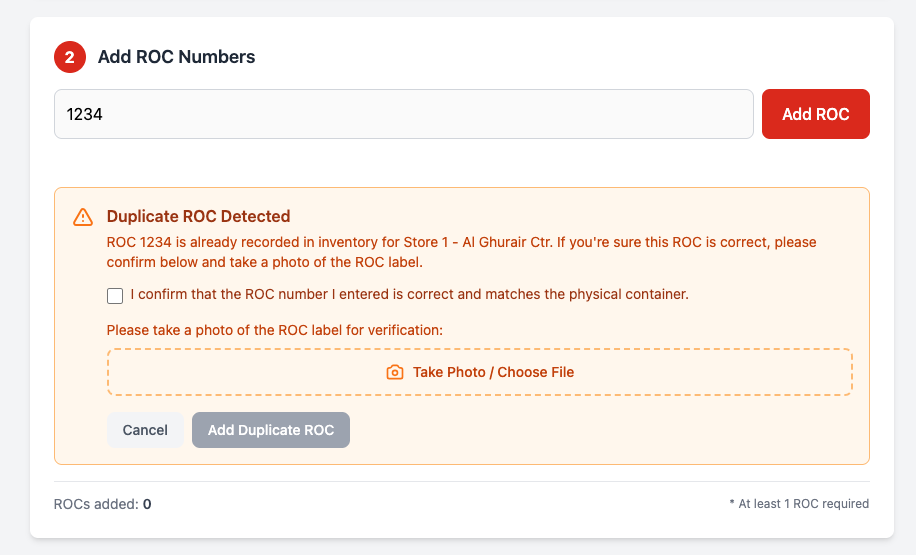
If a ROC number has already been submitted by another store, you'll see a warning showing which store has that ROC. You can still add the ROC if you're sure it's correct by following these steps:
- Check the confirmation checkbox to confirm the ROC number is correct
- Take a photo of the ROC label on the container as proof
- Click "Add Duplicate ROC" to add it to your list
Duplicate ROCs are marked with an orange "Duplicate" badge and a camera icon indicating a photo is attached. Both the original store's ROC and your duplicate ROC will be flagged for review.
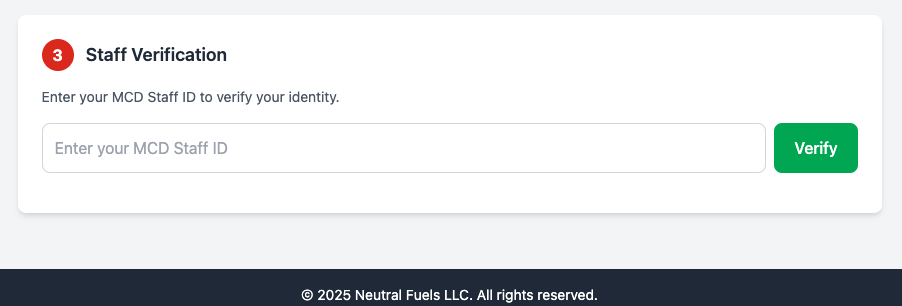
Verify Staff ID
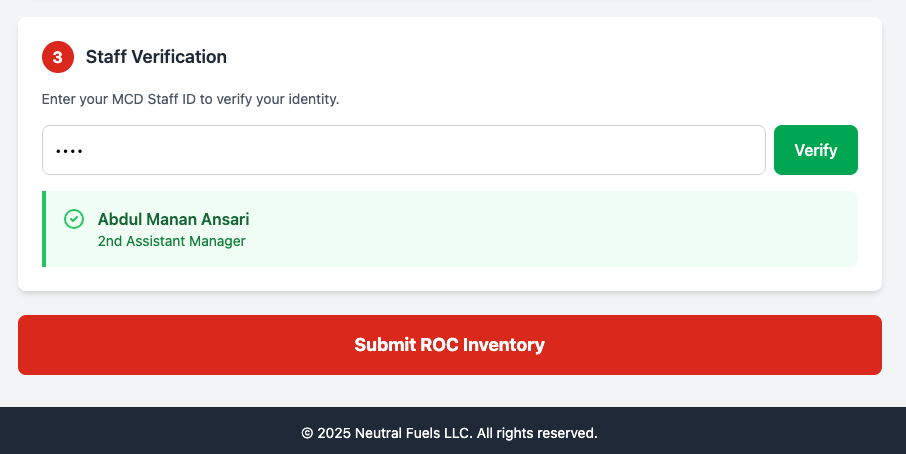
After adding at least one ROC, you'll see the Staff Verification section. Enter your MCD Staff ID to verify your identity.
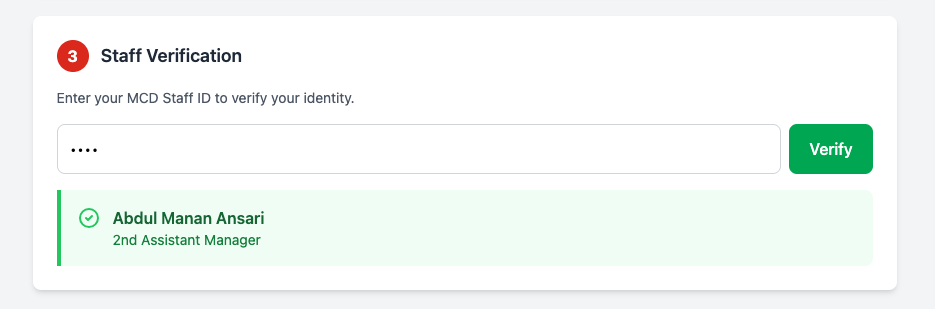
Once verified, your name and position will be displayed. This information will be recorded with the submission.
Note:
Your Staff ID input is hidden for privacy. Any valid MCD Staff ID can submit for any store.
Submit Inventory
After verifying your staff ID, the Submit button will appear. Click it to submit your ROC inventory.
Upon successful submission, you will see a confirmation message with all the details.
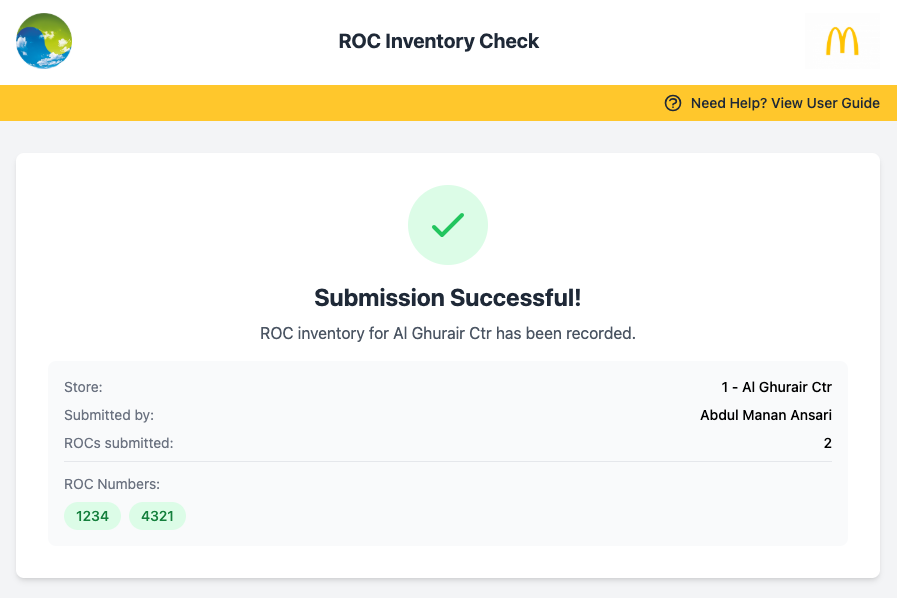
Submission Complete!
Your ROC inventory has been recorded. The store cannot submit again, and the ROC numbers are now locked to your store.
Validation Rules
ROC Number Format
- Must be numeric only (no letters or special characters)
- Must be 1 to 4 digits in length
- Leading zeros are automatically removed (e.g., "001" becomes "1")
ROC Uniqueness
- Each ROC number is typically assigned to ONE store
- The system checks uniqueness in real-time as you add ROCs
- If a ROC is already used, you'll see which store owns it
- "001" and "1" are treated as the same ROC (leading zeros removed)
Duplicate ROC Handling
- If the same ROC appears at your store, you can add it with verification
- You must confirm the ROC number is correct by checking the confirmation box
- You must take a photo of the ROC label as proof
- Both the original and duplicate ROCs will be flagged for review
- Photos are stored securely and linked to the duplicate ROC record
Store Submission
- Each store can only submit ONCE
- Submissions cannot be edited after completion
- At least 1 ROC is required to submit
Staff Verification
- Valid MCD Staff ID is required
- Any staff member can submit for any store
- Staff name and position are recorded with submission
Frequently Asked Questions
Q: What if I enter the wrong ROC number?
Before submitting, you can remove any ROC from the list by clicking the X button next to it. After submission, ROCs cannot be changed.
Q: Can I add more ROCs after submitting?
No, each store can only submit once. Make sure you have all your ROC numbers ready before submitting.
Q: What if my store already shows as submitted but I didn't submit?
Contact your manager or the Neutral Fuels team. The submission record shows who submitted and when.
Q: I don't know my Staff ID. Where can I find it?
Your MCD Staff ID should be available from your store manager or in your employee records.
Q: Can someone from another store submit for my store?
Yes, any verified staff member can submit for any store. The submission will record who made it.
Q: What if the same ROC number appears at two different stores?
This can happen occasionally. When you try to add a ROC that's already assigned to another store, you'll see a warning. You can still add it by confirming the ROC is correct and taking a photo of the ROC label on the container. Both records will be flagged as duplicates for review.
Q: Why do I need to take a photo for duplicate ROCs?
The photo serves as proof that the ROC number physically exists at your store. This helps resolve any discrepancies and ensures accurate inventory tracking when the same ROC is reported by multiple stores.
Q: What happens to duplicate ROC records?
Both the original store's ROC and your duplicate ROC will be flagged for review by the Neutral Fuels team. The photos you provide help them verify the situation and update records as needed.